
Syncing with Microsoft Outlook
How to sync your Assemble Calendar with Microsoft Outlook.
Syncing with Microsoft Outlook
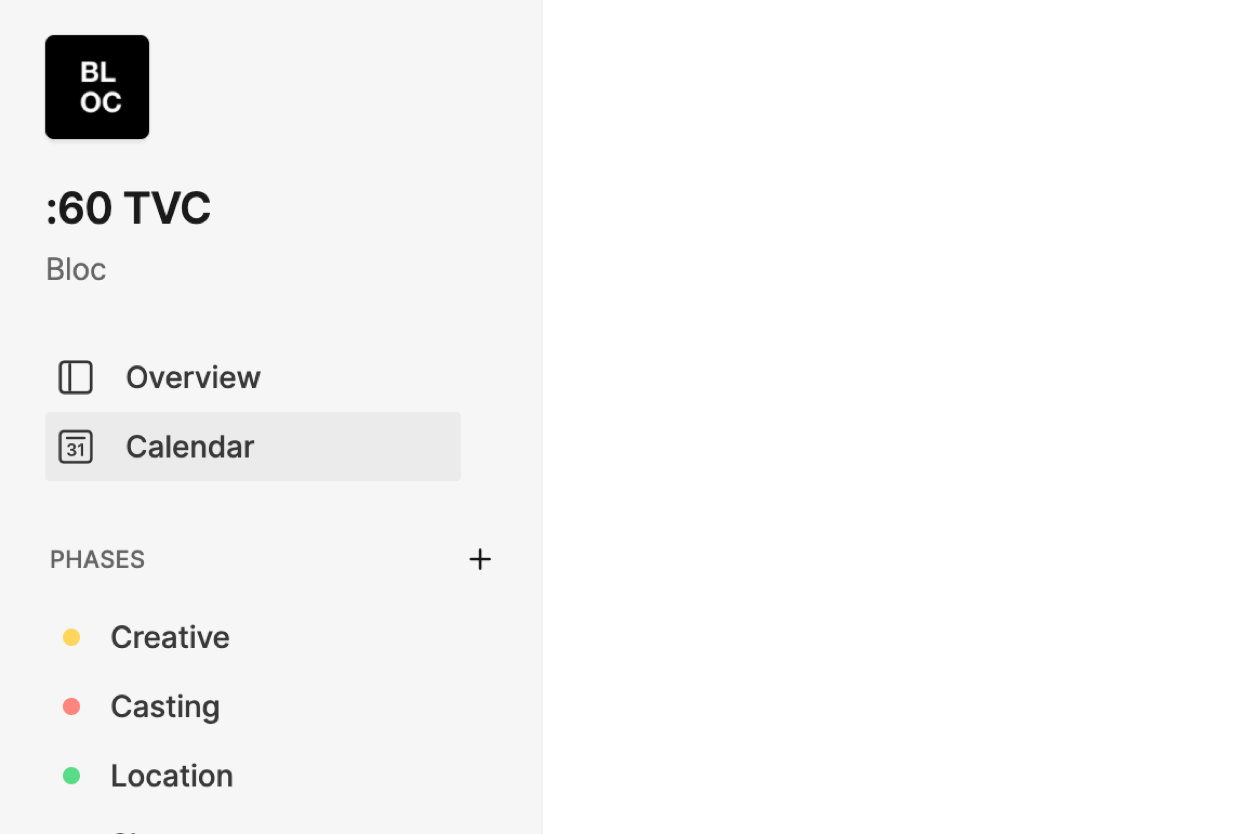
Open the project you wish to sync, then click Calendar in the left sidebar.
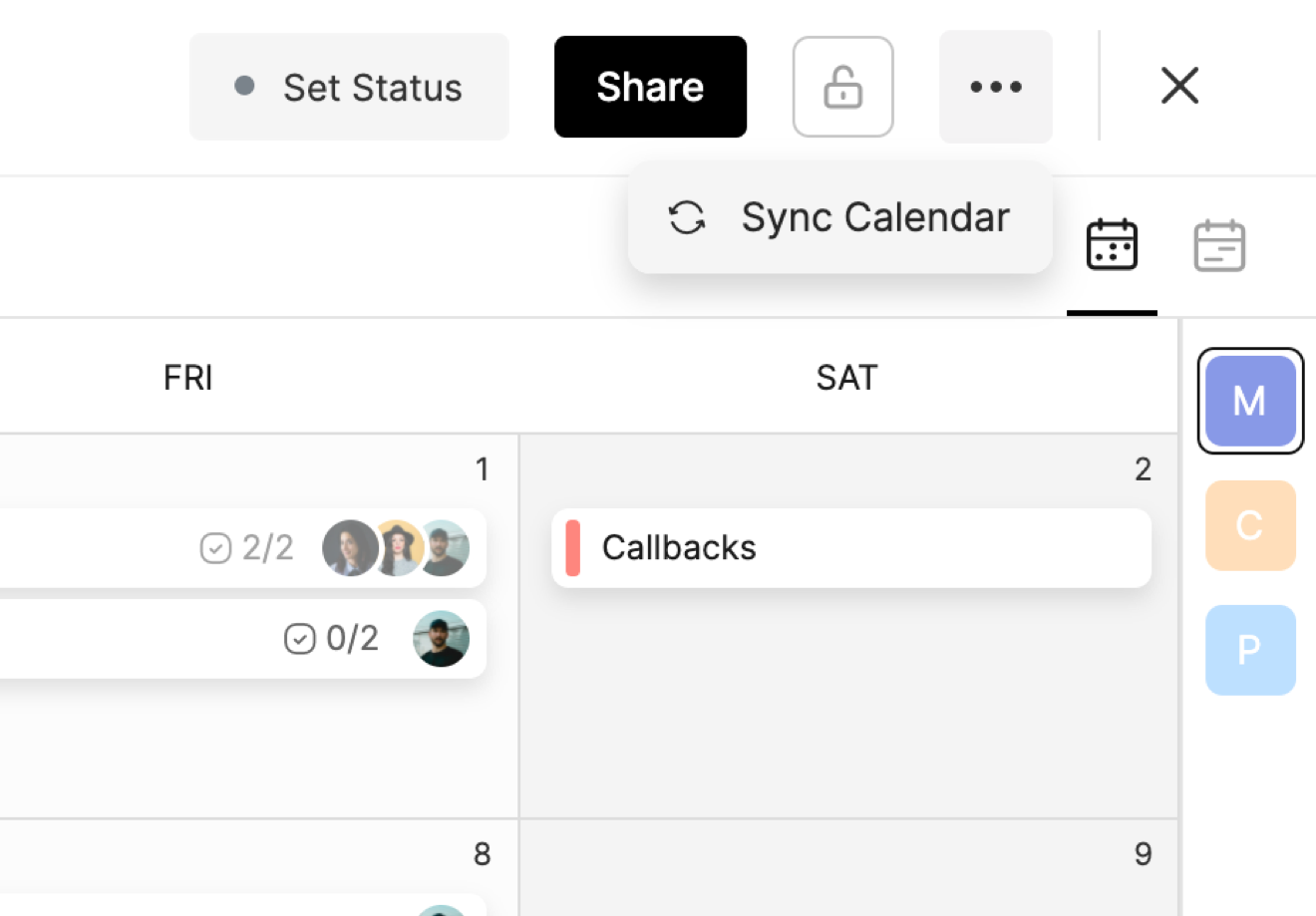
Once you are viewing the calendar, select the three-dot button from the upper right-hand corner and then click Sync Calendar from the dropdown.
A pop-up with three tabs appears. Select the Microsoft Outlook tab.
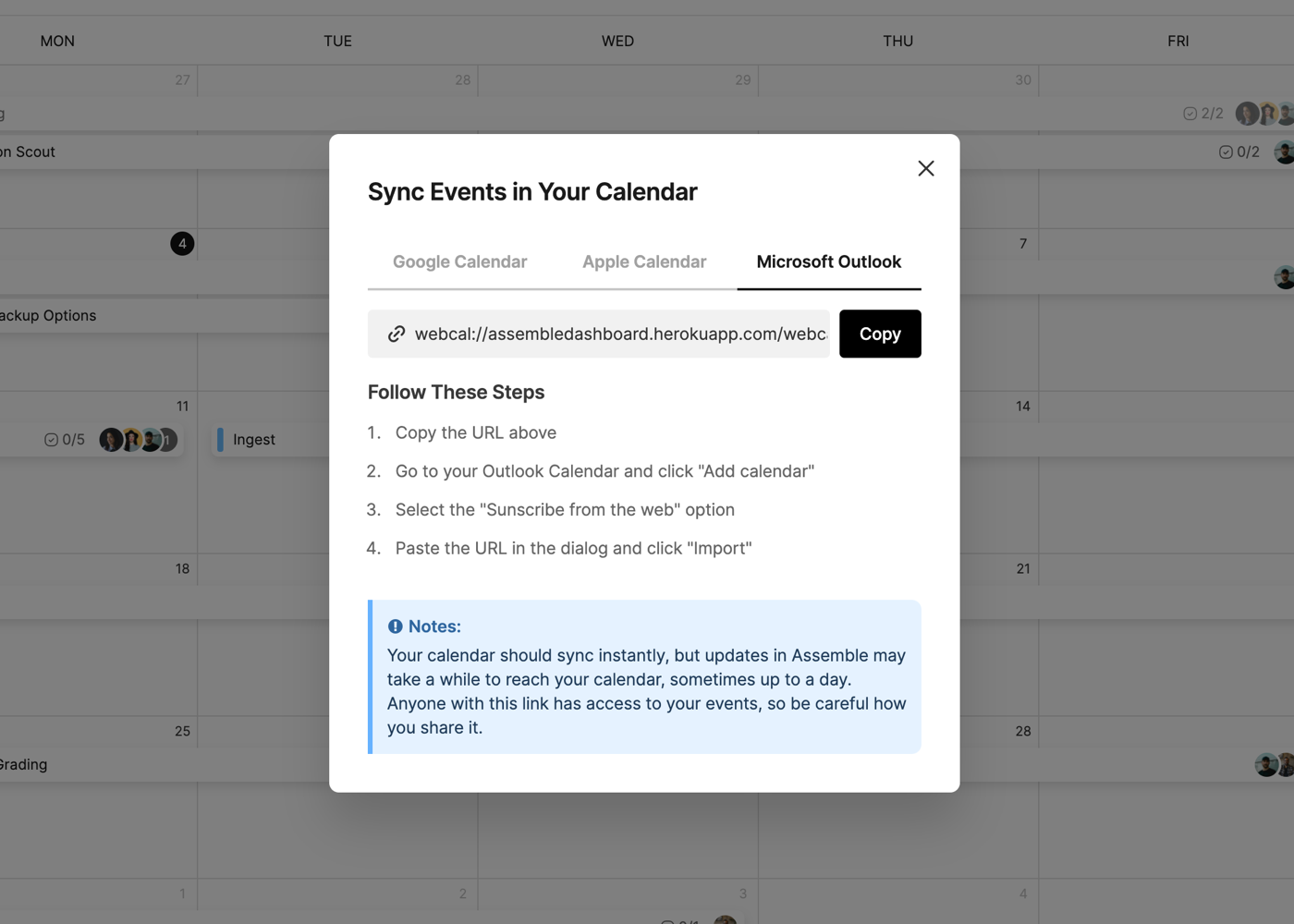
Next, follow these steps:
Copy the generated URL, then navigate to your Outlook Calendar.
Click Add Calendar and select the Subscribe from the Web option.
Paste the URL here, and click Import.
NOTE: While your Assemble calendar should sync immediately, future updates in Assemble may take up to a day to appear in your external calendar based on your Microsoft Outlook settings.
Was this helpful?